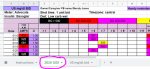
Sorry. Still can't see it. All I get is a spreadsheet set-up page, with none of Tiger's information in it.
Maybe you could try to use the directions for putting it in your signature. It would be good for you to get a signature set up anyway. You can look at mine for an example of what goes in it.
To find out what dosing protocols are, you should check out the sticky posts in the Lantus/Basaglar section of the forum. Once you see what SLGS (Start Low and Go Slow) and TR (Tight Regulation) are, you can make an informed decision on what dosing protocol you want to use for your kitty.
Instructions for pasting the SS link in your FDMB Signature block:
1. Login to FDMB and click on your user name in the upper right corner.
2. Select "signature”. The signature block is limited to three lines. If you have a lot of other information in your signature block, please be sure you place the spreadsheet link so it is easily located by other members (i.e. please don’t stick it at the very end of a long, detailed description of medications).
3. Put your cursor in the text box, type in your kitty’s name with the word “Spreadsheet” (e.g. Furbaby’s Spreadsheet), highlight those words, and then click on the “hyperlink" icon above the text box:

4. A text box will open that states "link"; paste your link into the box next to “URL” and click on “insert”.

5. This should result in the highlighted text turning light blue which means it is now a hyperlink to the spreadsheet and anyone clicking on it can see the spreadsheet.
6. Click "save changes" and you're done!! Great job!!!! If you need
any help at all, please send me a private message by clicking on “Marje and Gracie” (to the left under Gracie’s photo) and then “Start a Conversation”. I am more than happy to help you or do the Spreadsheet for you.